Get in touch

Redesigning a retail coordination tool around the people using it

In 2022, I was doing freelance branding work for Dynamic CXS when I learned about their product, Beacons, which was already deployed and used by employees in Canadian Tire stores across Canada. I noticed that no one had talked to users about their experience. Beacons was built for functionality, not for people.

I decided to take this on myself. I conducted interviews, built research artifacts, and designed solutions based on what employees actually needed. The work was strong enough that the team shipped it. It became the foundation for Meerby, their rebrand.

1.25K+

requests managed every day

60+

employees supported

Foundation

for expansion across new retailers

Context

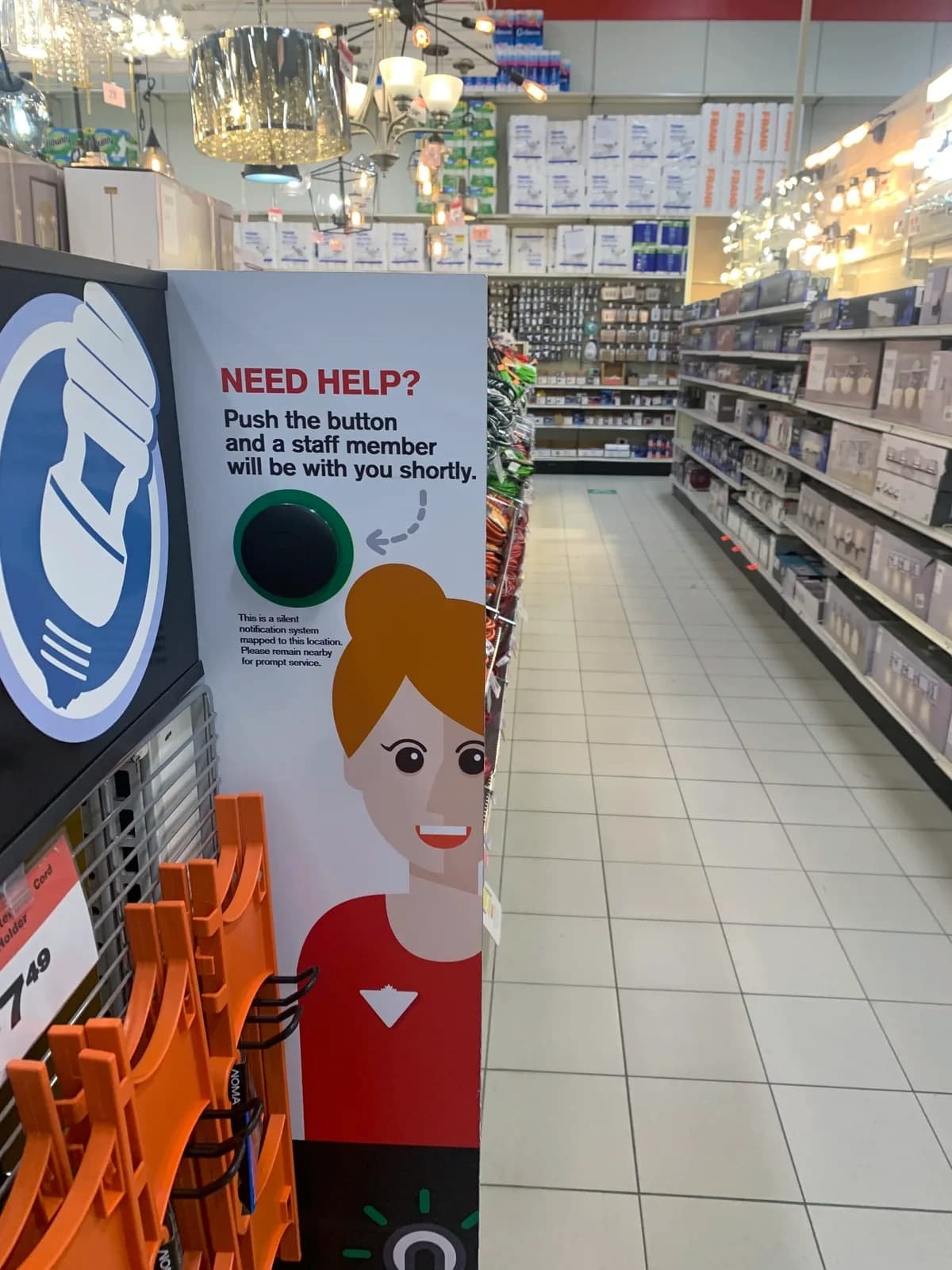
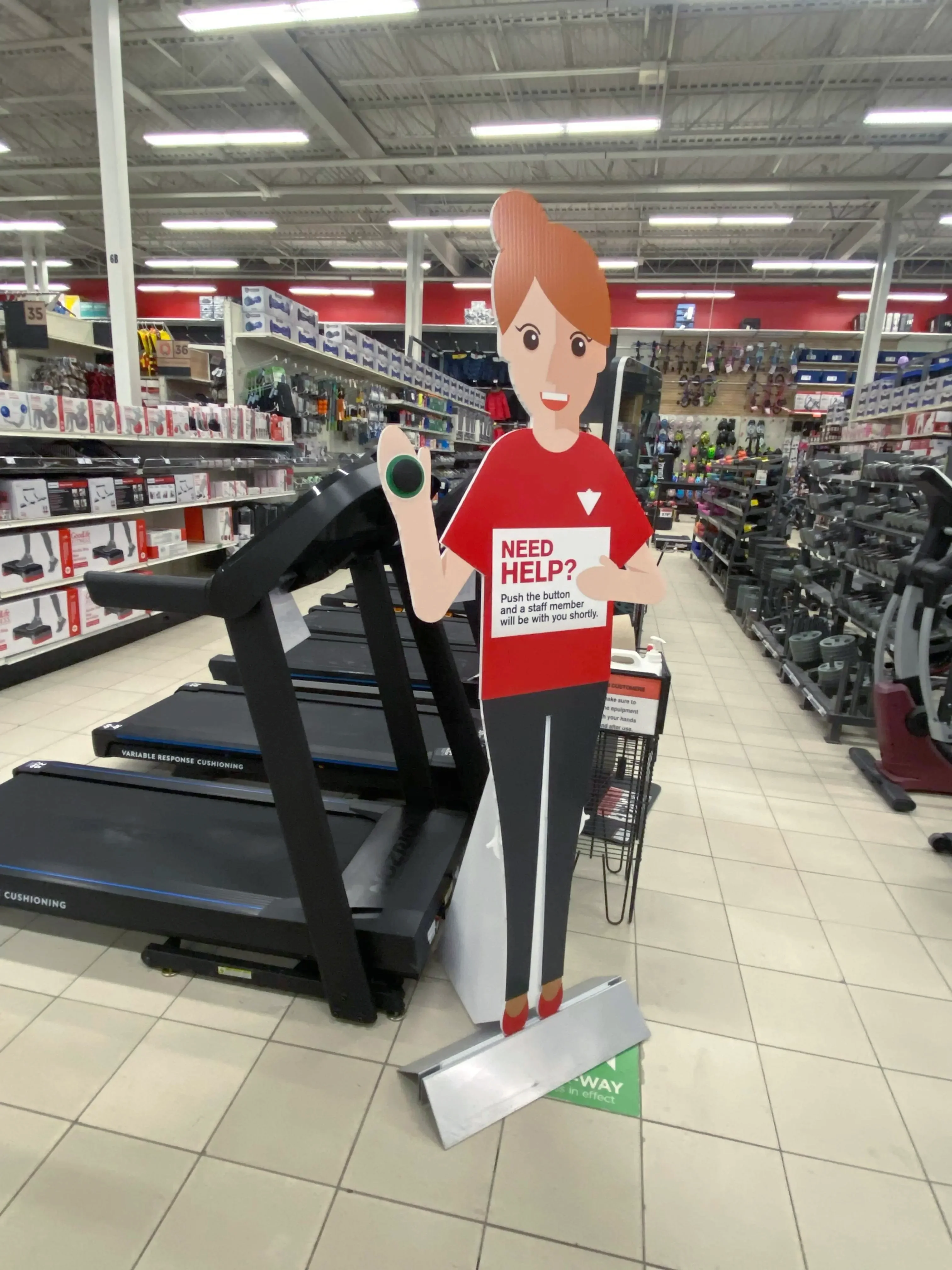
Beacons helps retailers get customers the help they need, faster. When a customer presses a help button, the right staff member is dispatched to the right place.

The team had plans to scale the product to new retailers.

Scaling without addressing the design debt in the application meant inheriting those problems at every new store. This was an opportune time to fix them.

Research

I needed to understand how employees were actually using the product on the floor.

I interviewed floor staff and retail managers at a Canadian Tire store where Beacons was already deployed, asking them to walk me through their daily workflows.

User Interviews

My effort should be visible and not averaged into the store.

Canadian Tire, Floor Employee

Watercolor illustration: The Rookie

Findings

These conversations revealed that the application was built around tasks and not people. I mapped the range of employees, environments, and tasks to understand the varying needs required.

Personas

The Rookie

Starting their first job at a retail store. Good at picking up new technology — apps come naturally. Still finding their place among more experienced colleagues, eager to prove themselves.

Needs

  • A clear sense of what is expected so they can meet it
  • Visibility into their own performance so they know their effort is being noticed
  • A way to track improvement over time so they can grow

Pain Points

  • No way to track response times to know if they were meeting expectations
  • Store-wide metrics made individual effort feel invisible

The Veteran

Has worked at the retail store for over 10 years. Deep store knowledge, but technology is not their comfort zone — they have real anxiety about using it while on the job.

Needs

  • Get in and out of the app as fast as possible to focus on the floor
  • Clear and simple language at every step so nothing requires guessing
  • Confidence that they are taking the right action before committing

Pain Points

  • Text too small to read comfortably while moving around the floor
  • No way to know if a colleague was already handling a request

The Supervisor

Responsible for the whole floor's performance as well as their own tasks. Has access to data, but it has never been presented in a way that tells them what to do next.

Needs

  • A view of request volume by department to redirect staff during busy windows
  • Time-based patterns that reveal when and where the store consistently gets overwhelmed

Pain Points

  • Store-wide stats gave nothing actionable to act on during a shift
  • Feedback to employees relied on memory rather than data, making it easy to dismiss

Core Problems

Narrowing in on the core problems that could be resolved in a reasonable time period.

Trust

There was often hesitation, delayed, and duplicated responses.

Visibility

Metrics disappeared individual efforts.

Clarity

Requests were shown across multiple views.

Moment of Decision

Employees assumed someone else would respond. Often, nobody did.

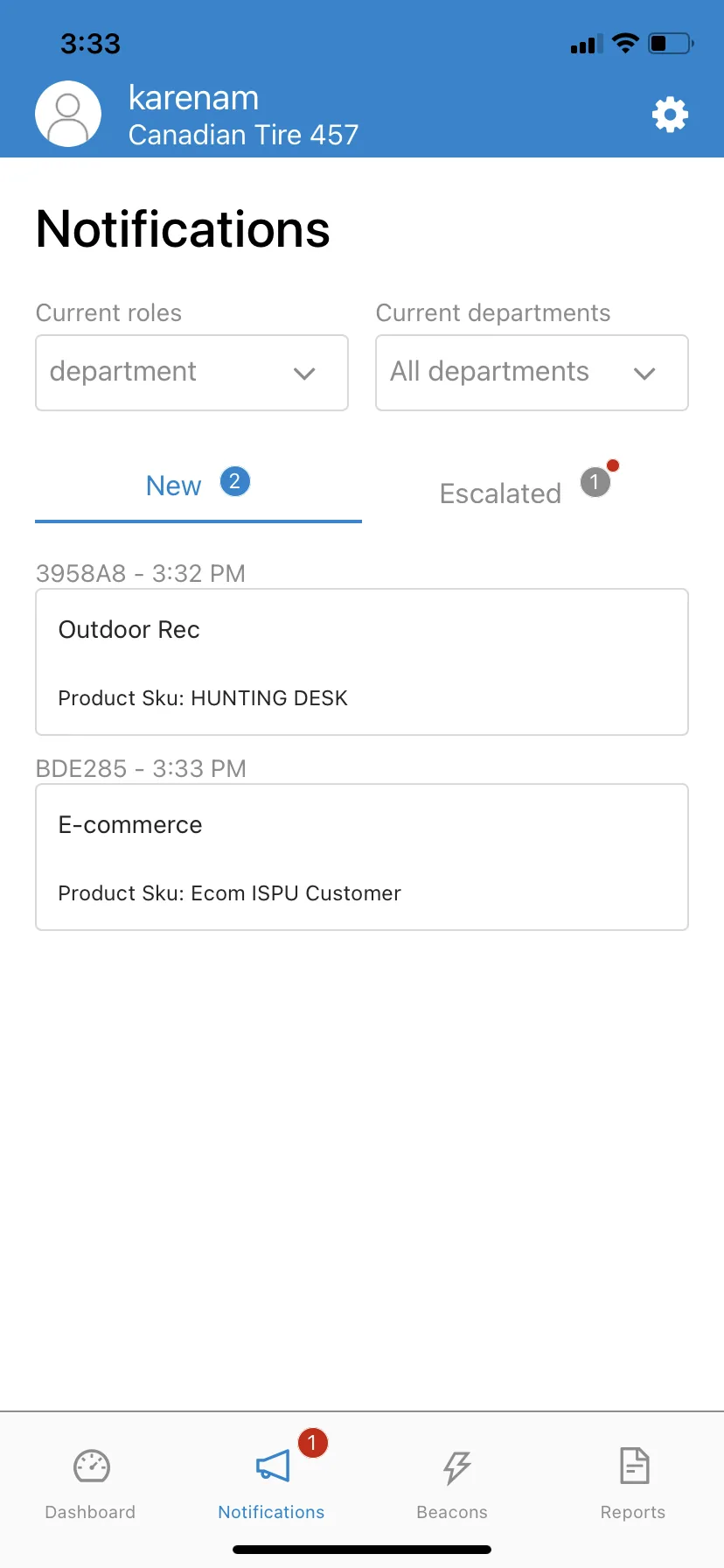
When a request came in, employees had to decide whether to respond or let someone else handle it. The interface gave them nothing to make that decision.

Should I respond?

No, Mark should be able to respond.

I'll let someone else go.

I hypothesized that the lack of visibility into what their coworkers were handling in the interface was the cause of this hesitation, but I needed to validate that before committing to a direction.

I created two versions to test. Each prioritizes different information during the request flow.

Option 1: Adding in progress cards

Option 1: Adding in progress cards

Option 2: Making an in progress tab

Option 2: Making an in progress tab

Floor employees said

I like seeing who is already busy, but I don't want to tap to another tab.Having the escalated requests at the top of the list makes it easier to know where to start.

The Synthesis

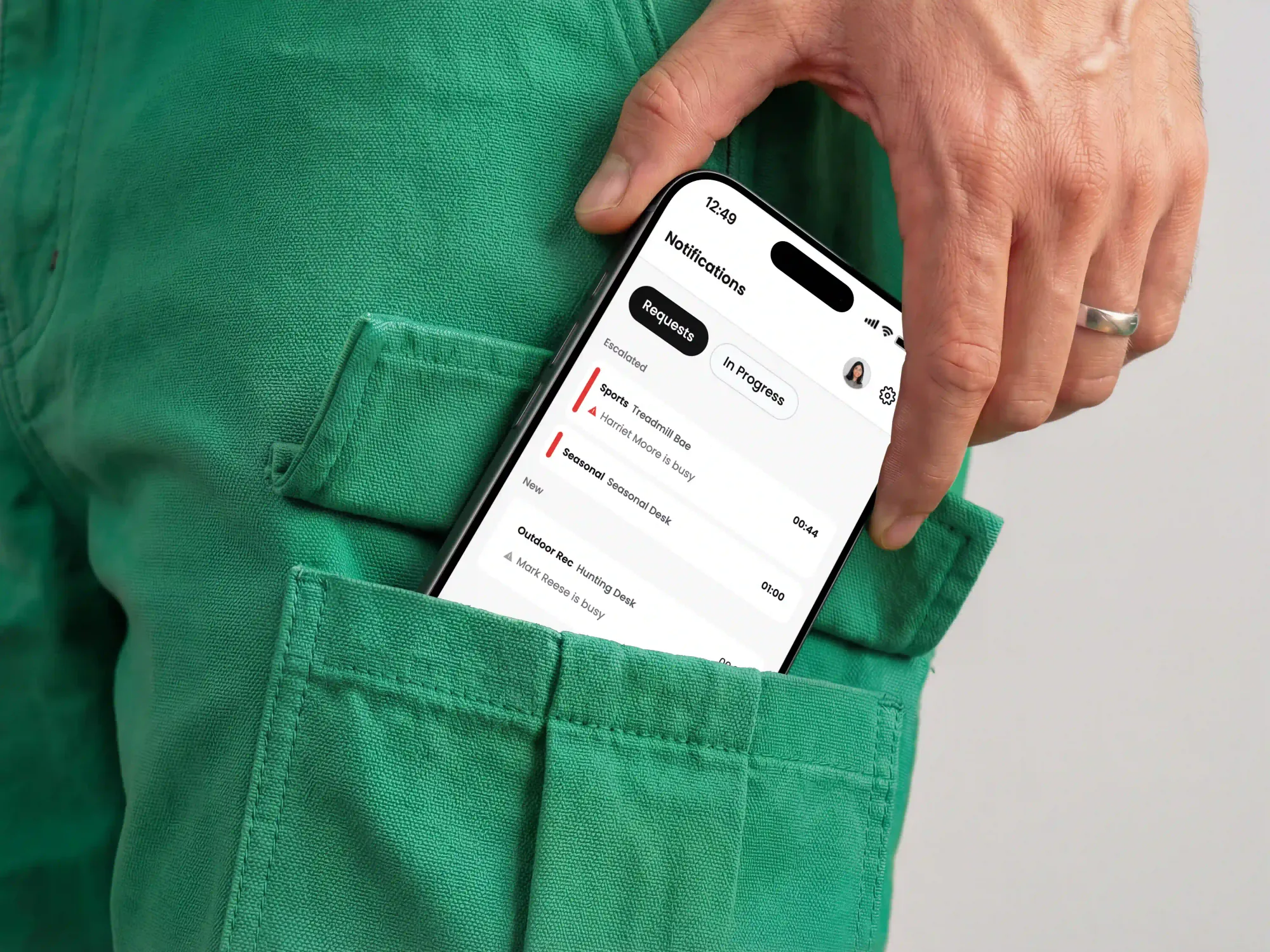
Keeping the coworker visibility on the requests tab from Option 1Keeping the tab structure and request grouping from Option 2Adding the coworker visibility directly on the request card

Final Solution: Coworker Visibility

Regular Request Card
12:15
Notifications
SportsTreadmill Bae800:50
Harriet Moore
Harriet Moore
In Progress
Standards
Screws & Fasteners

Solution

Employees can assess the situation without leaving the main view. Each card shows which employees in that department are currently occupied with another request. The final design gives employees enough confidence in the application to respond to requests without hesitation.

Employee Motivation

Employees couldn't see their individual contribution.

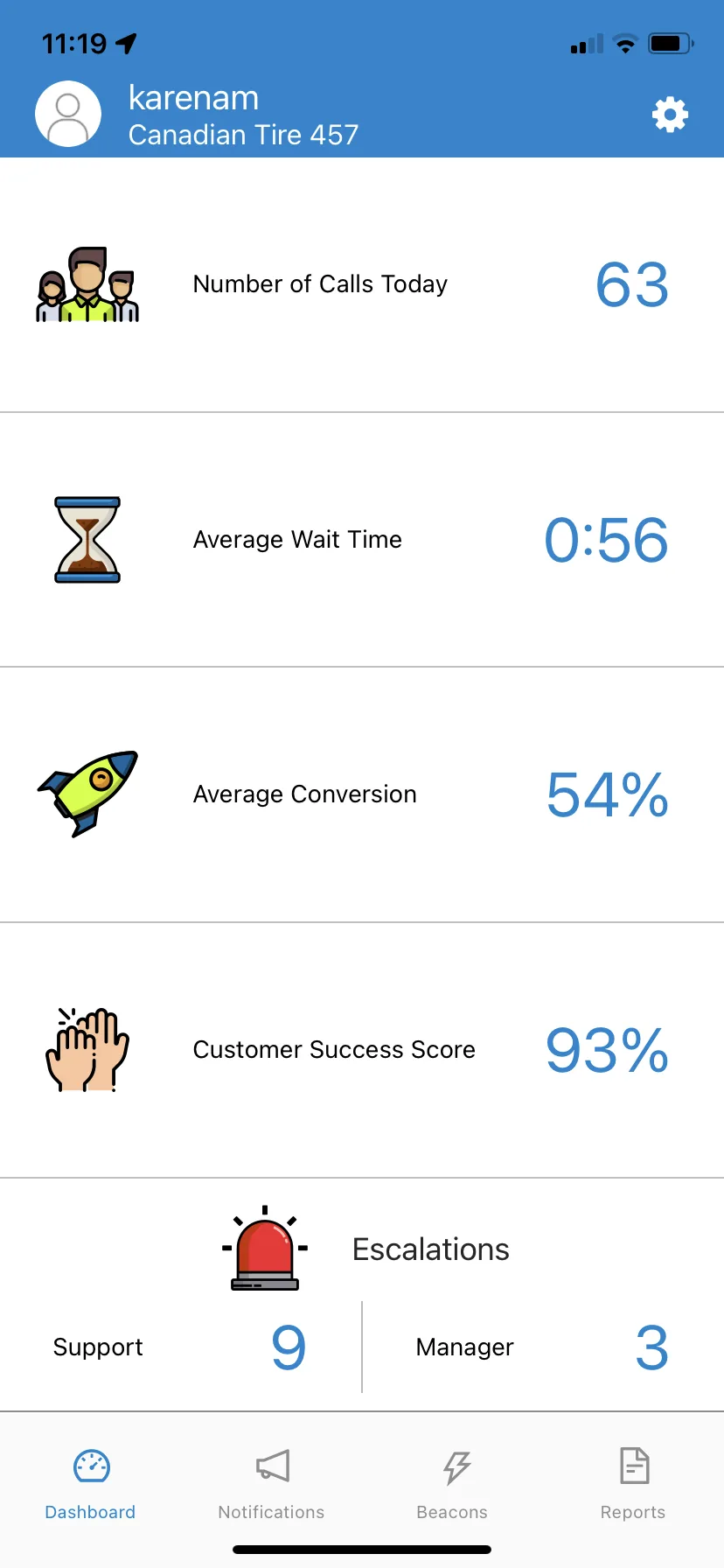
The dashboard showed the daily stats for requests received, average customer wait time, and a customer success score. These were all numbers reflective of the store's success.

The individual effort of employees disappears into these collective numbers. The metrics don't provide motivation for individual employee success. This left employees feeling unaccomplished during their shifts.

Previous Design

Previous dashboard showing only store-wide metrics

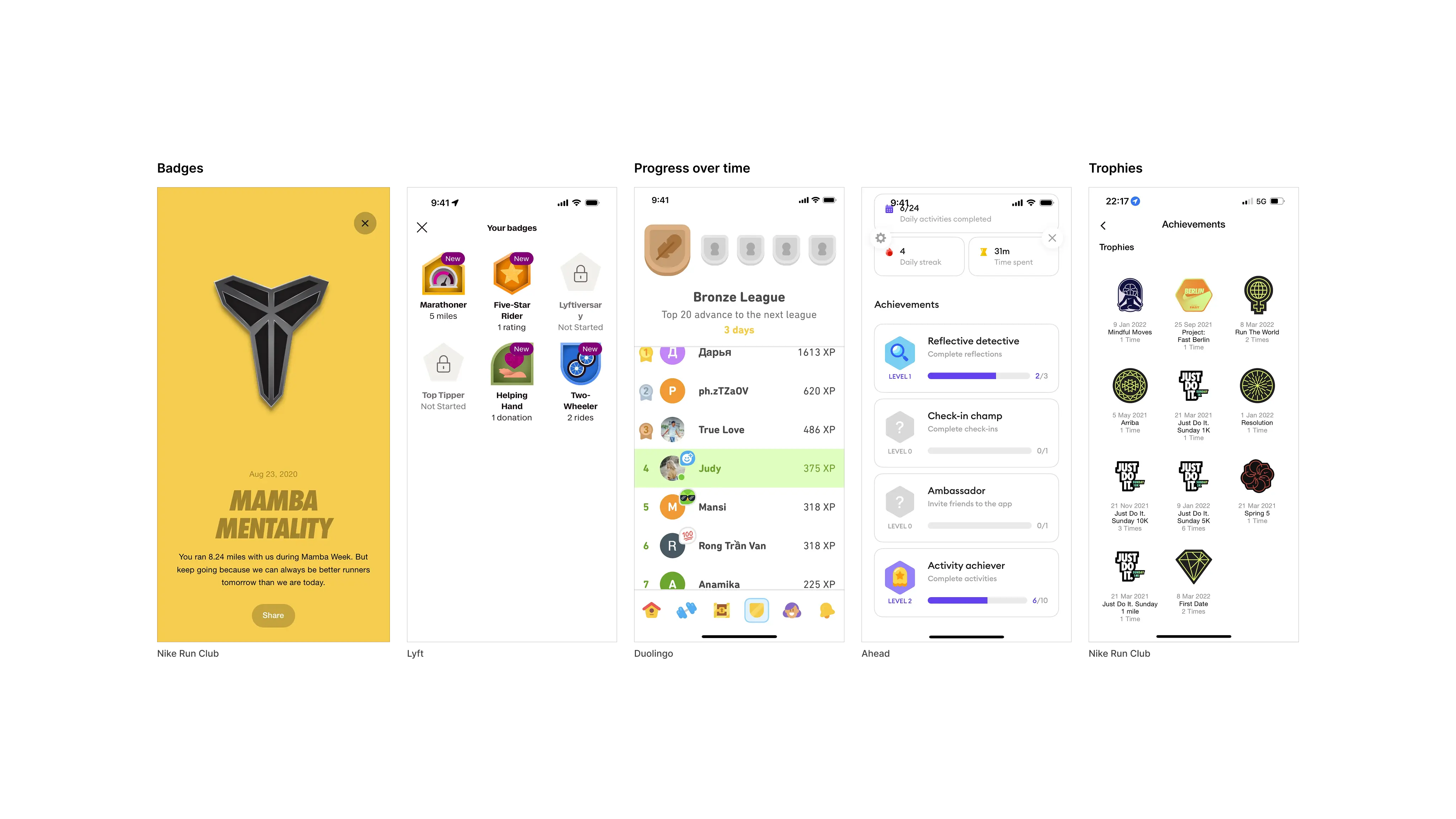
In running apps, like Nike Run Club and Apple Fitness, the motivation to continue came from seeing your history accumulate using personal records, streaks and milestones. The dashboard shows employees the store's history but not the individual's.

Research into gamification revealed that leaderboards were a common feature but often lead to people feeling inadequate. Leaderboards can improve short term performance but the novelty wears off. Individual progress tracking improves long-term skill because people want to feel a sense of leveling up.

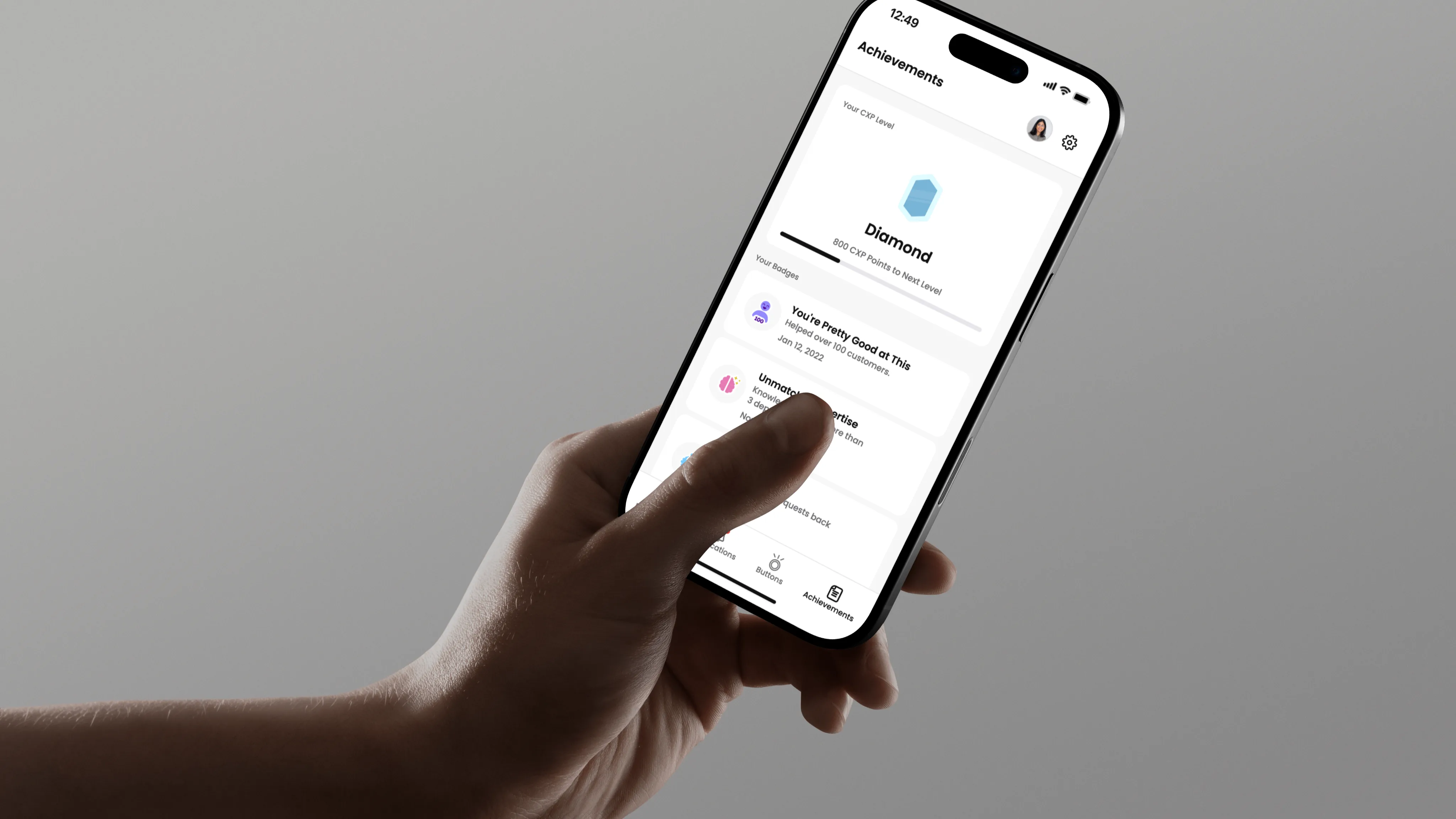
Final Solution: Achievements

Badge: 01
Achievement levels

Solution

I built a badge system that tracked employee's individual progress. Badges were rewarded when employees reached milestones.

Data-Informed Design

Managers want to be able to act on what's happening.

Managers told me they wanted actionable insights. Requests were tracked as they came in, but there was no way to view patterns across time or act on them during a live shift.

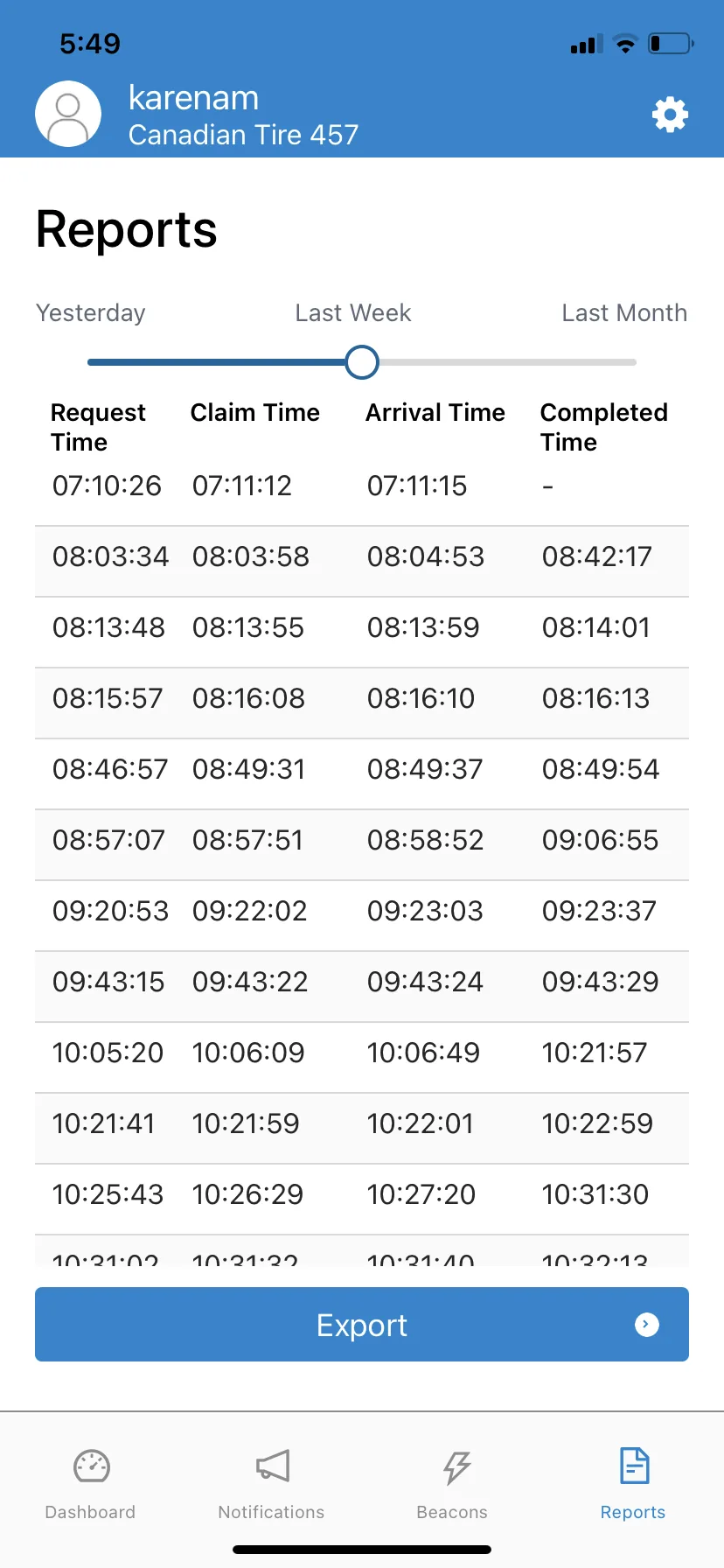
The existing dashboard showed store-wide numbers for daily requests, average wait time, average conversion. These are useful after a shift, but not during one. The reports page had data that could answer those questions if presented properly.

Previous Design

Previous reports screen

Final Solution: Dashboard

Solution

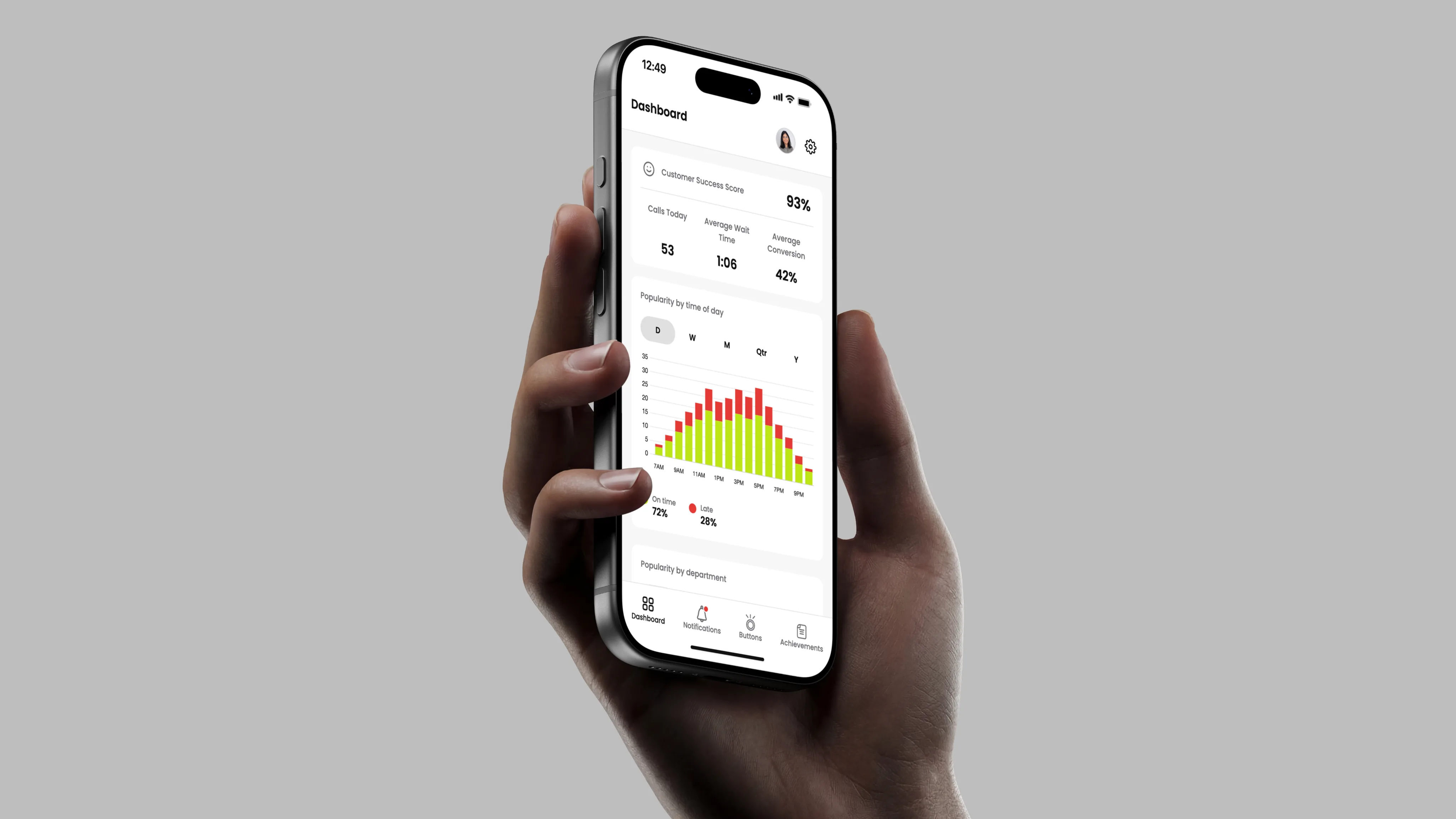
I merged the two into a single page. The Popularity by Time chart shows request volume hour by hour so a manager can see that 3 PM to 5 PM is consistently the busiest window and staff accordingly. The Popularity by Department chart shows where requests are concentrated. For further analysis after a shift, managers can export the full report.

Outcomes

My redesign became the foundation on which Dynamic CXS built and rebranded as Meerby. The employee-centered interface created the infrastructure for their dispatch system to scale across hundreds of stores.

It shipped because the work was grounded in what employees actually needed. These were real solutions based on what employees told me, and not just features their competitors had.

1.25K+

requests managed every day

60+

employees supported

Foundation

for expansion across new retailers

What I learned

Working in a high-stakes context, where employees are making decisions under pressure, made it clear that the experience needed to come first. It was shaped by the environment, mental load, and trust. I prioritized the experience and then focused on getting the interface right.

It also reinforced that designing with real users improved the decision quality. It was encouraging to get positive feedback from people who actually used the product.

Designing for both the employee and the business made me a better systems thinker. There were retail systems that I needed to learn and understand to make proper decisions when designing.