Pickup Coordination at Meerby
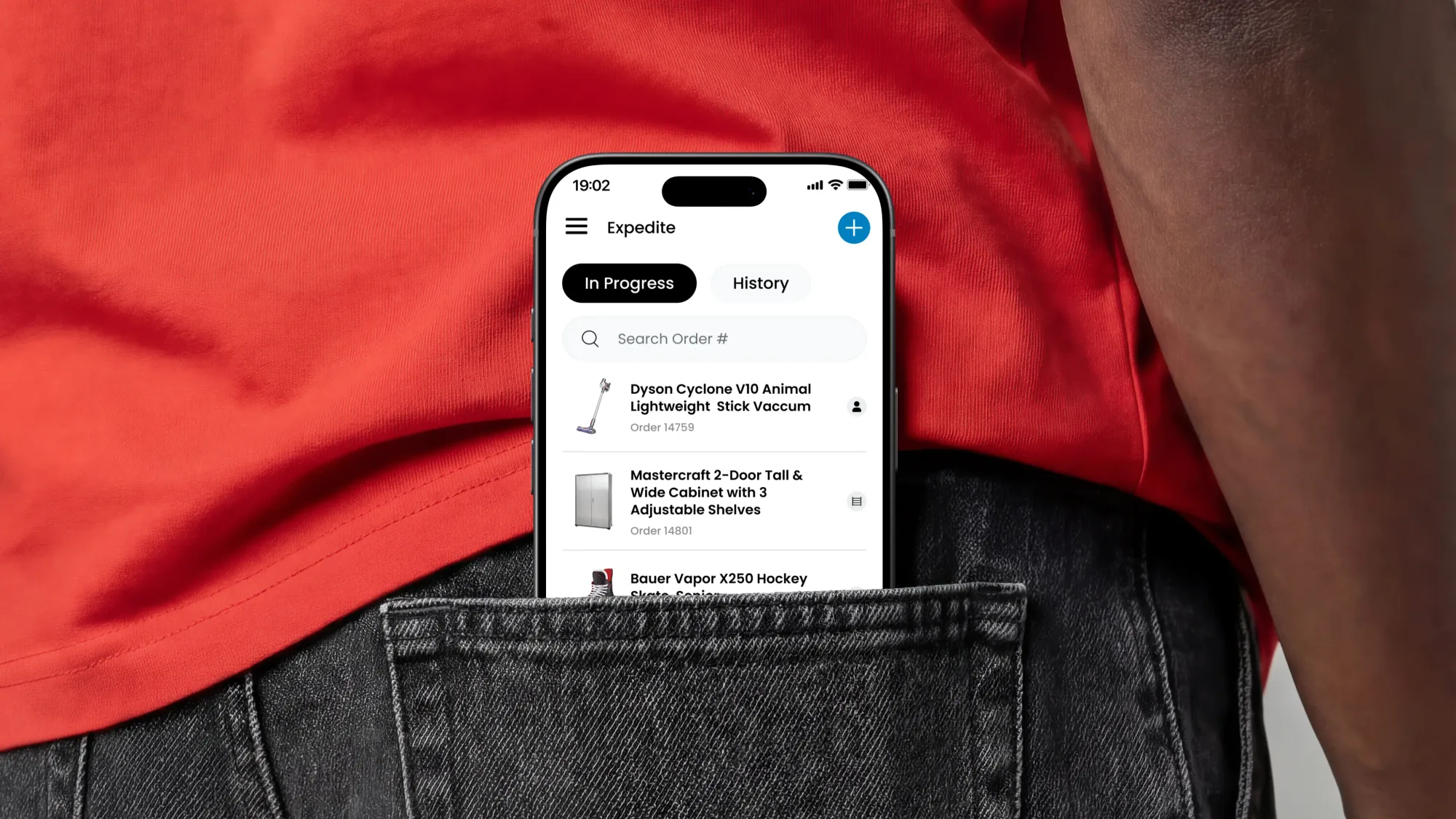
I led the design of Expedite, a mobile tool coordinating in-store pickups across multiple retail teams. As the sole designer, I mapped a complex operational workflow, designed role-specific experiences, and tested them with Canadian Tire employees. The product shipped at a Canadian Tire store and is still used there today.
Timeline
May 2022 to December 2022
Team

Problem Framing
Selling big-ticket products required an entire store
Buying something big, like a treadmill, looks simple to the customer. It actually takes several employees working across different parts of the store to fulfill that order. The opportunity was to add a coordination layer around the existing systems to improve the experience for everyone involved.
Research
The previous process was held together by paper forms and walkie-talkies
I interviewed 8 employees across sales-floor, logistics, cash, loading, and management roles to understand what happened after a customer asked for a big-ticket product.
Previously, information was scattered across the database, paper forms and through conversation. This made it hard to keep track of for both employees and customers.
Microsoft Access
Used to submit a product request
Printed Forms
Provided to Warehouse & Cash employees, with request details printed out
Walkie-Talkies
Used to communicate between employees at each step in the process
Research Foundations
Building on existing research to understand fulfillment
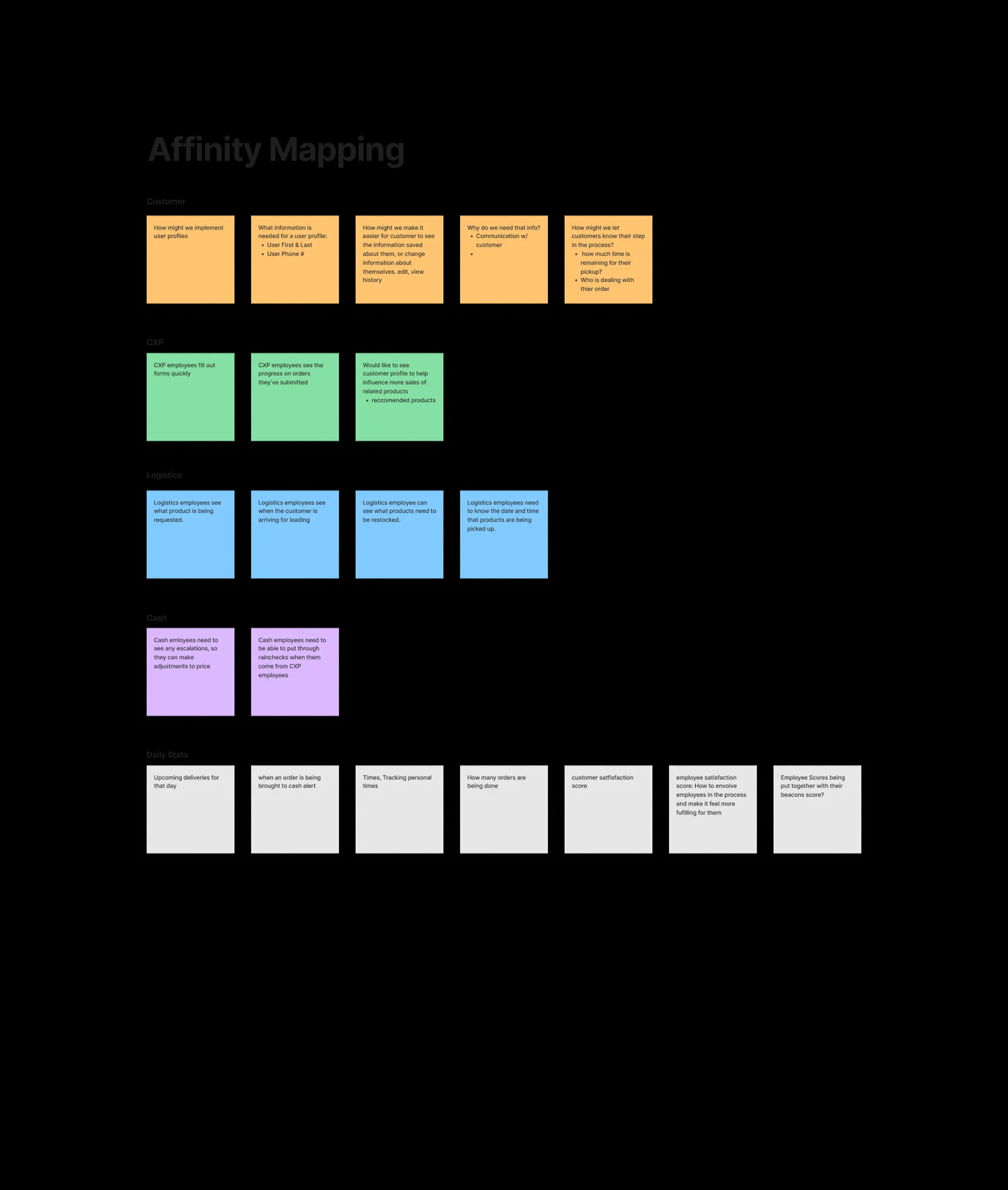
I already had a foundation of employee interviews and research from my work on Beacons, so for Expedite I focused on expanding my understanding of order fulfillment.
I organized what I learned into artifacts and built on my understanding of store operations, employee roles, handoffs, and information needs. These became a working research bank that I returned to throughout the project as new design questions emerged.
Store Operations
How big-ticket orders were handled across the store.
Employee Roles
How responsibilities differ between employee roles.
Employee Handoffs
How an order moves from one part of the store to another.
Information
What info do employees need at different stages
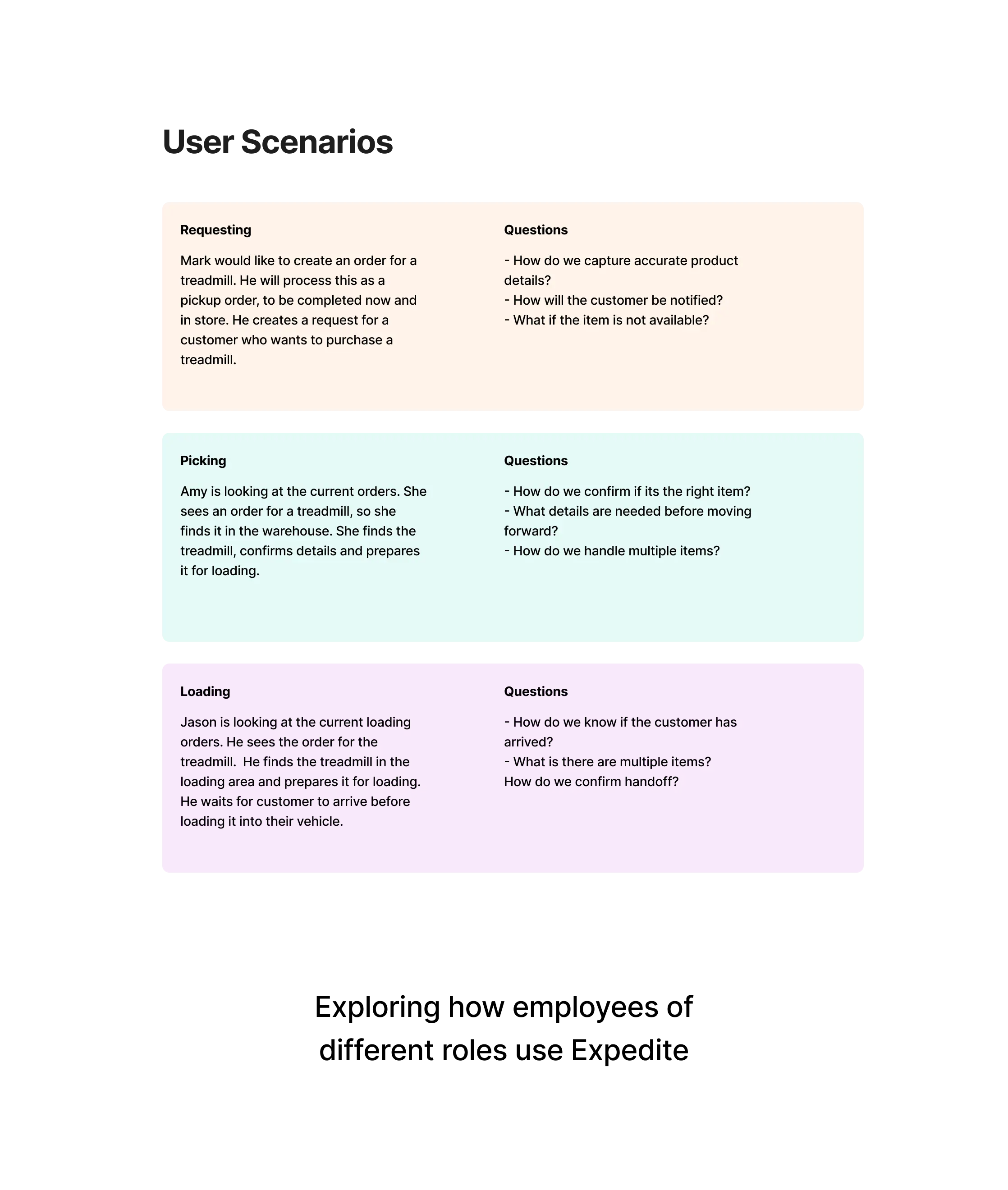
Design Challenge #1
Each employee role required different information
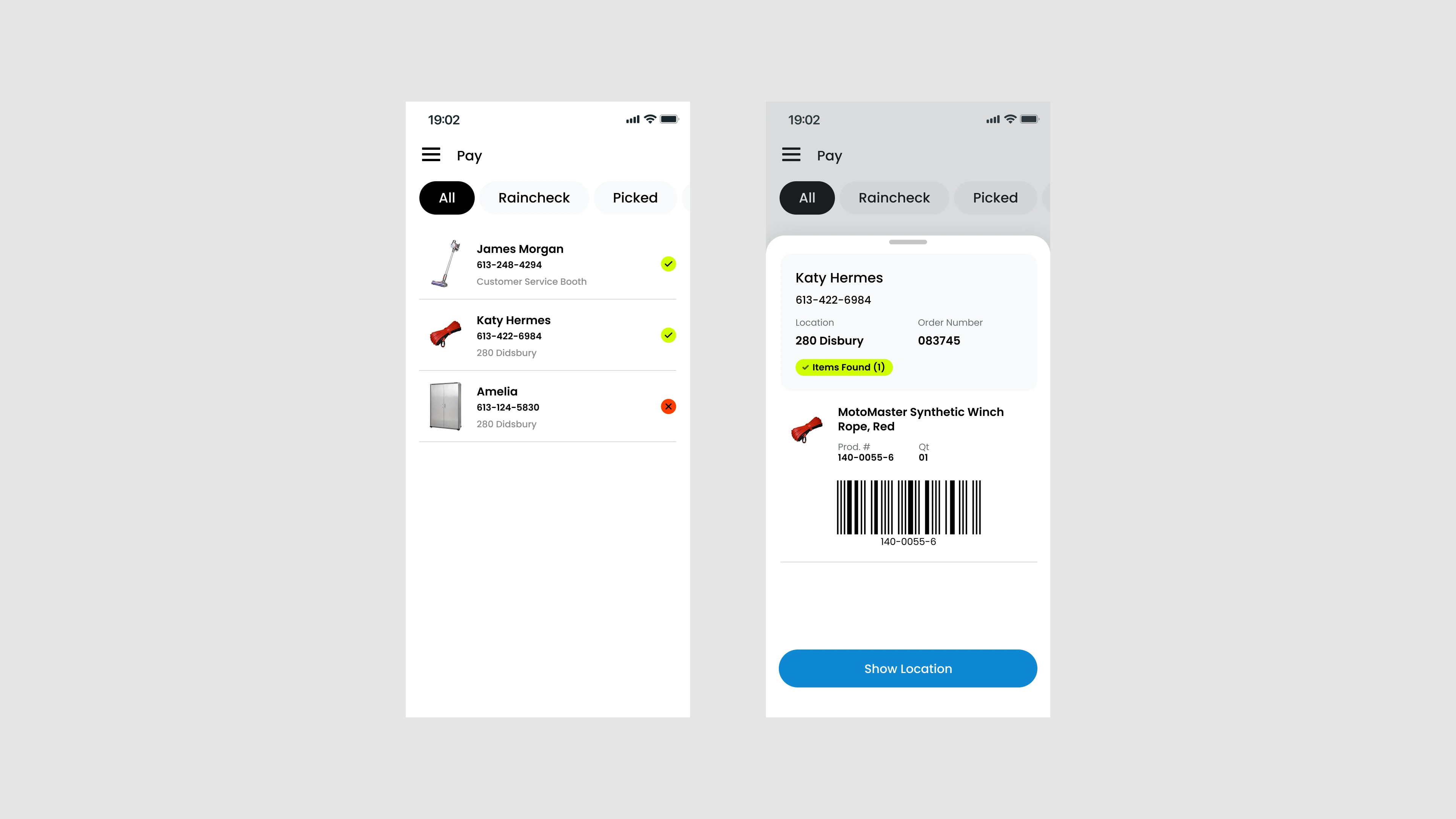
A single customer order moved through Sales Floor, Logistics, and Cash employees. Each employee prioritized different information and different actions to complete their responsibilities.
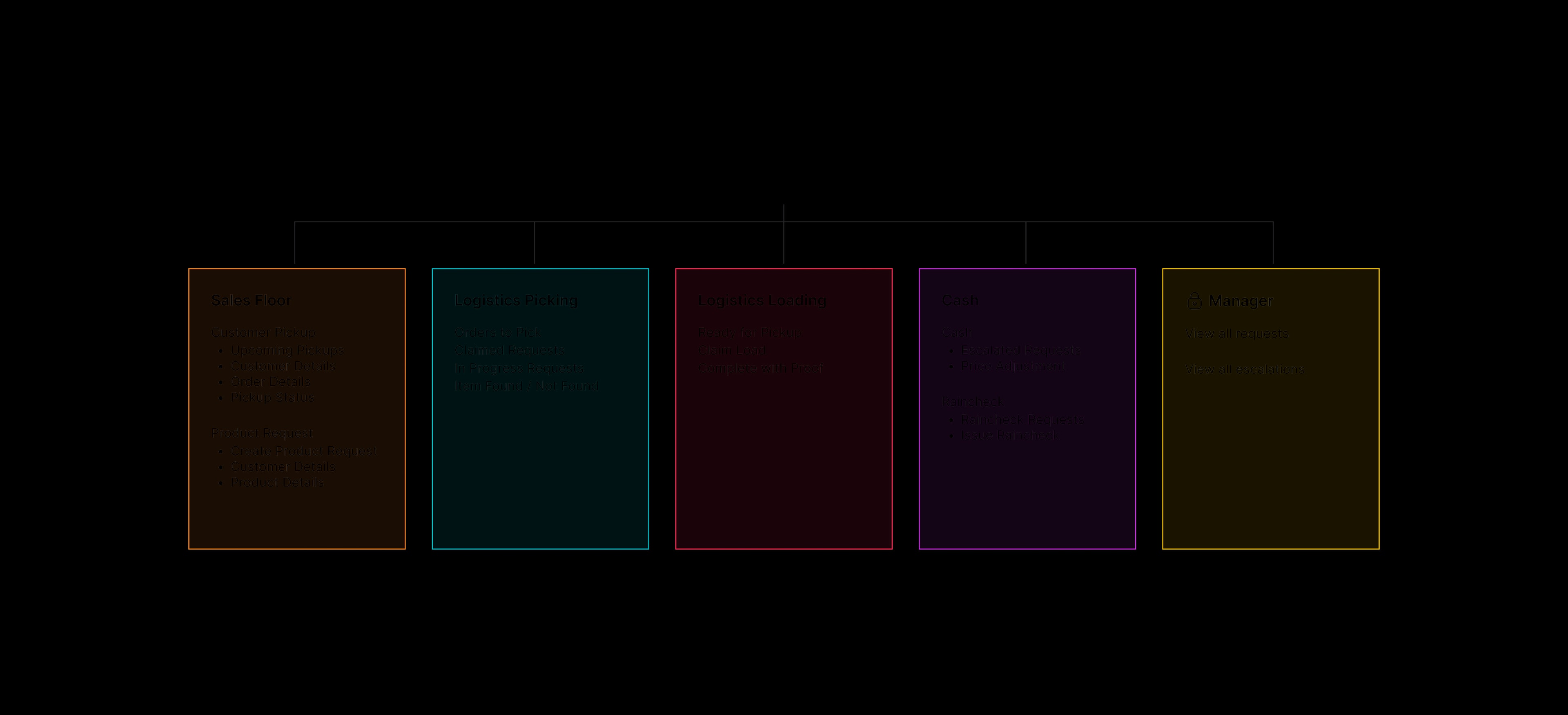
Site Map
Organizing the app around how employees already worked
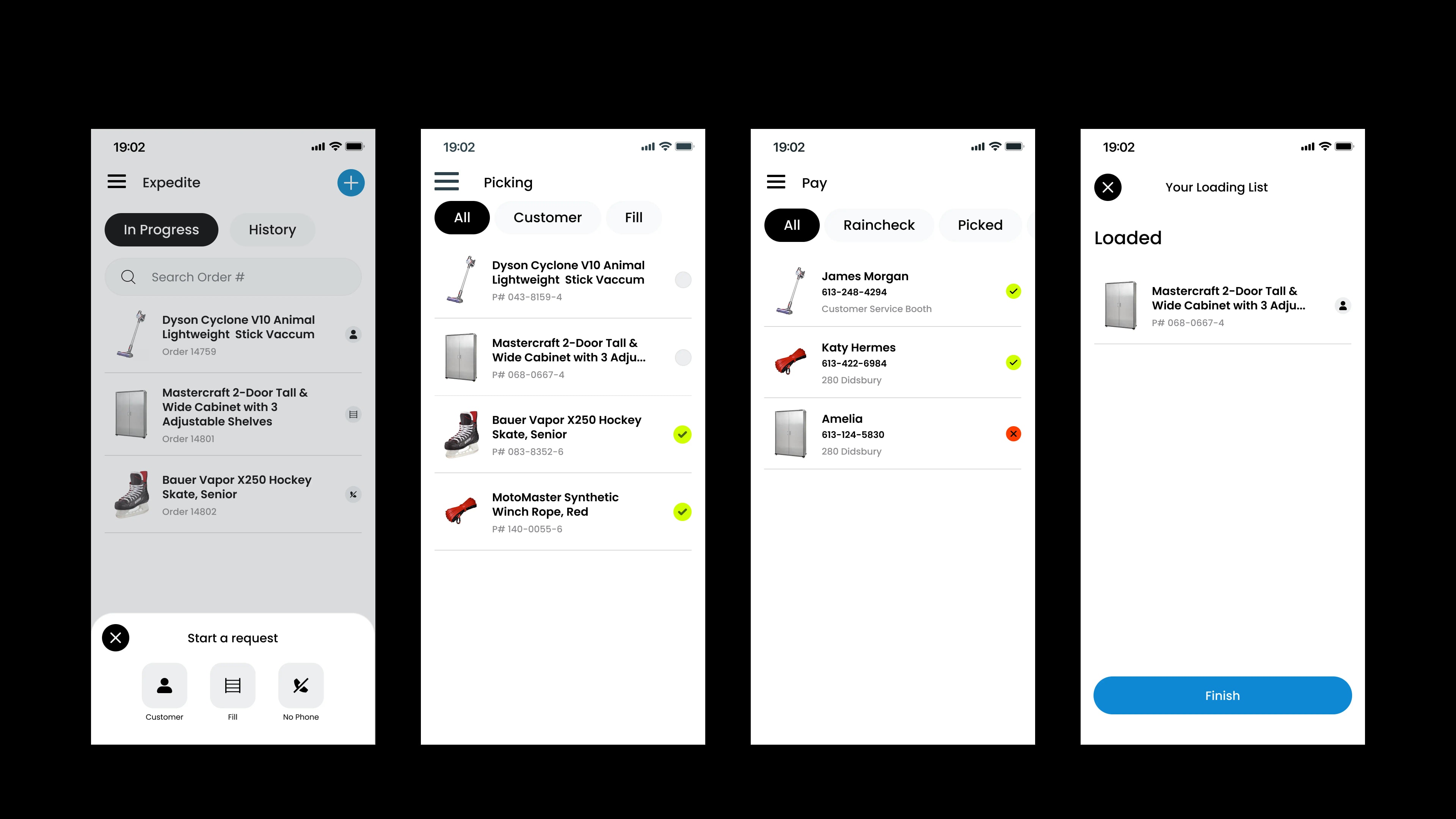
Tasks were handled in stages, so I built the digital experience the same way. During each stage, employees only cared about information relevant to their current role. Within logistics, the same employee could handle both Picking and Loading, so I needed to account for that flexibility as well.
Testing with employees
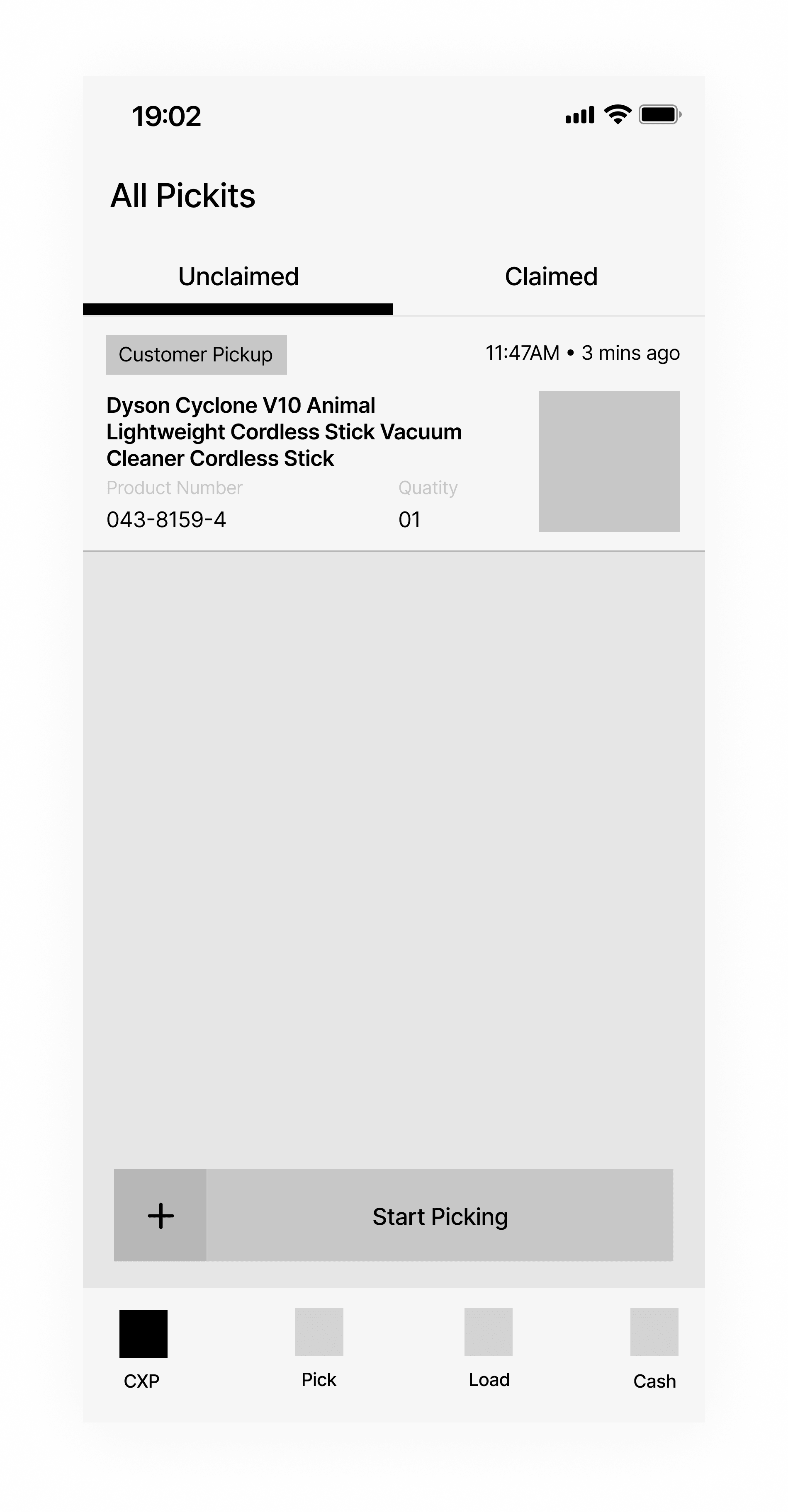
A Bottom Tab Navigation
In the mid-fidelity design, I used a traditional bottom tab bar for navigation.
Findings
- Made it too easy for an employee to move out of their current page by accident.
- Employees didn't need to change tab often enough to warrant a bottom tab bar.
Testing Again and Finalizing
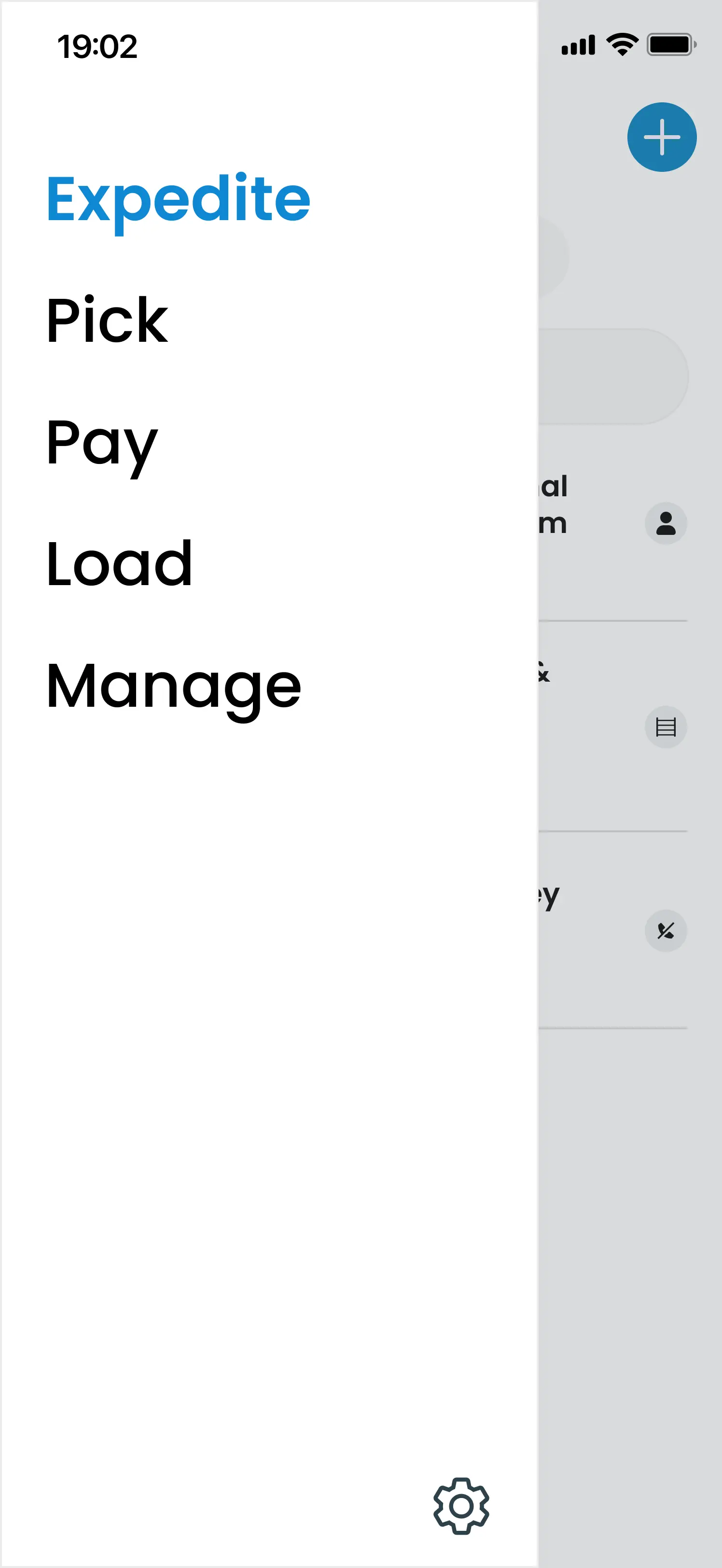
Hamburger Menu Navigation
I changed the navigation to a hamburger menu and tested again with employees. I arrived at a better solution.
Improvements
- Kept employees within whichever mode or role they were currently in. This made the structure feel more locked in place.
- Still left Logistics employees free to move between Picking and Loading as their shift required.
Solution
One view served no one, so I designed five.
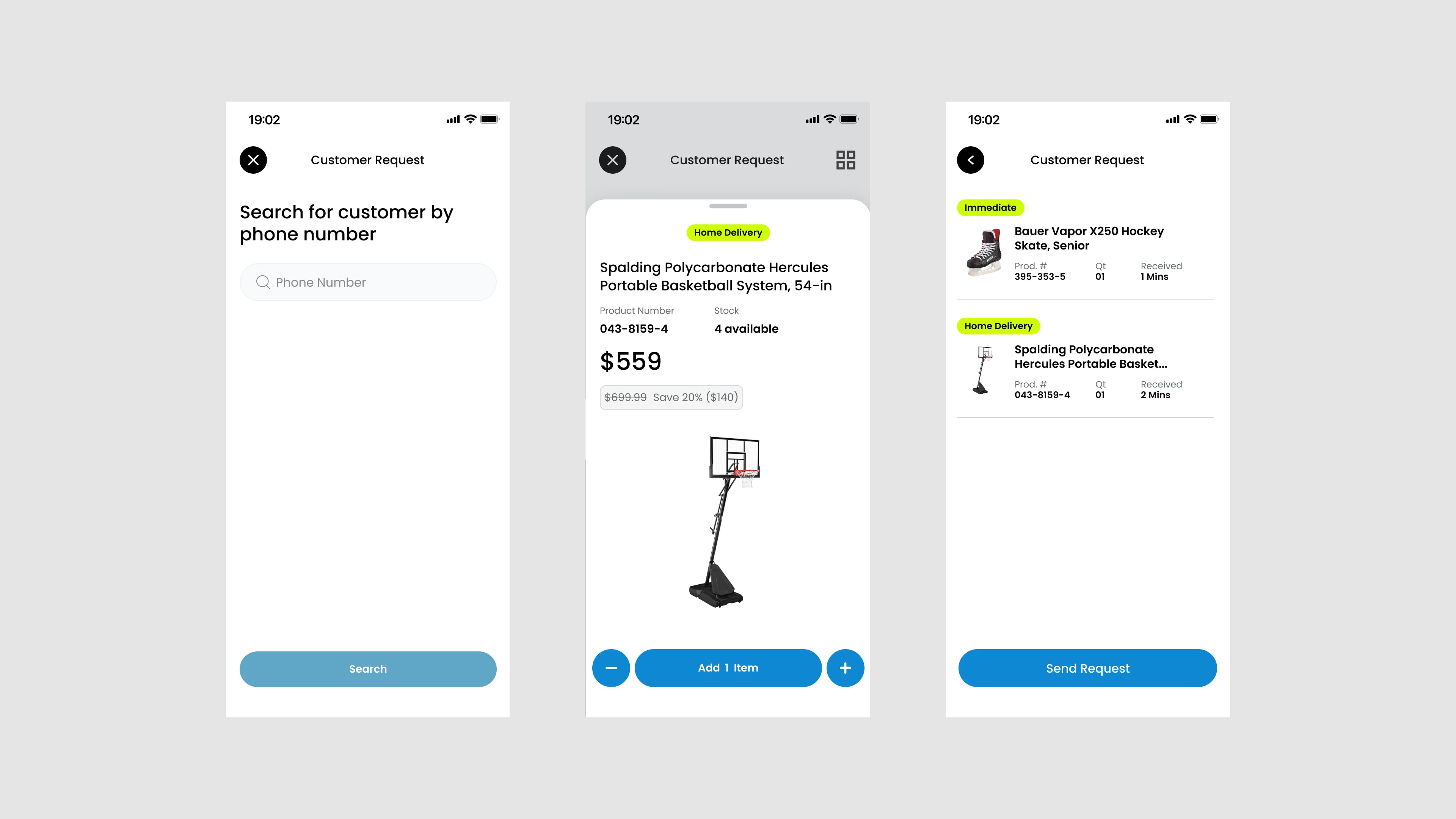
Instead of having one shared view, I designed around the existing workflows and created an architecture that supported multiple employee responsibilities. Each view prioritized the information most important to that employee without compromise.
Design Challenge #2
Employees needed a path for handling missing or damaged items
The previous workflow handled breakpoints by communicating the problem via walkie-talkies. The digital solution needed to be able to communicate between roles to resolve problems between handoffs.
Finding the breakpoints
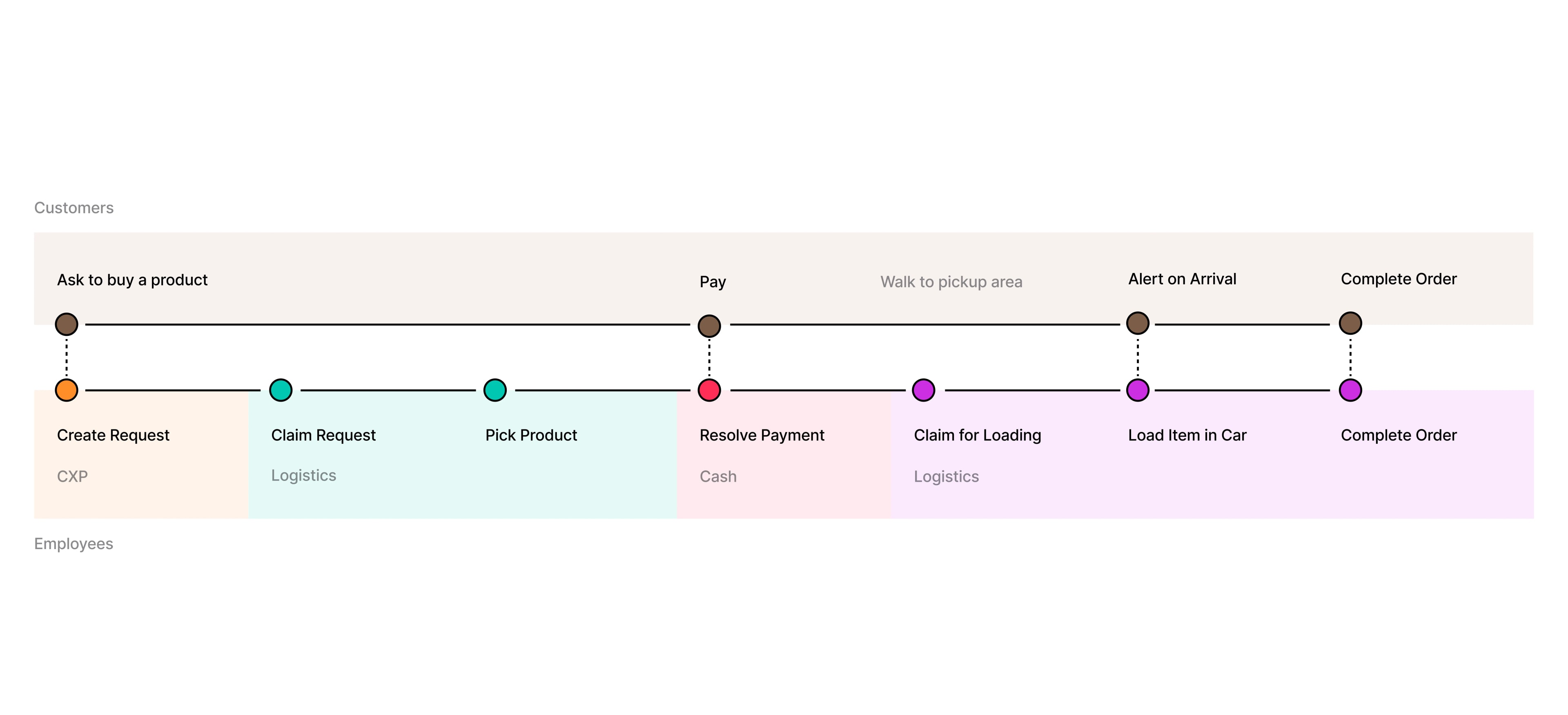
A single break could stop the entire order from moving.
When something goes wrong with an order, the request is stopped from moving forward. I mapped the customer and employee journeys to understand how that affects the entire chain. This also made it clear where ownership changed, and where a breakpoint could interrupt the experience.
Handling the Breakpoints
Not every issue required manager intervention.
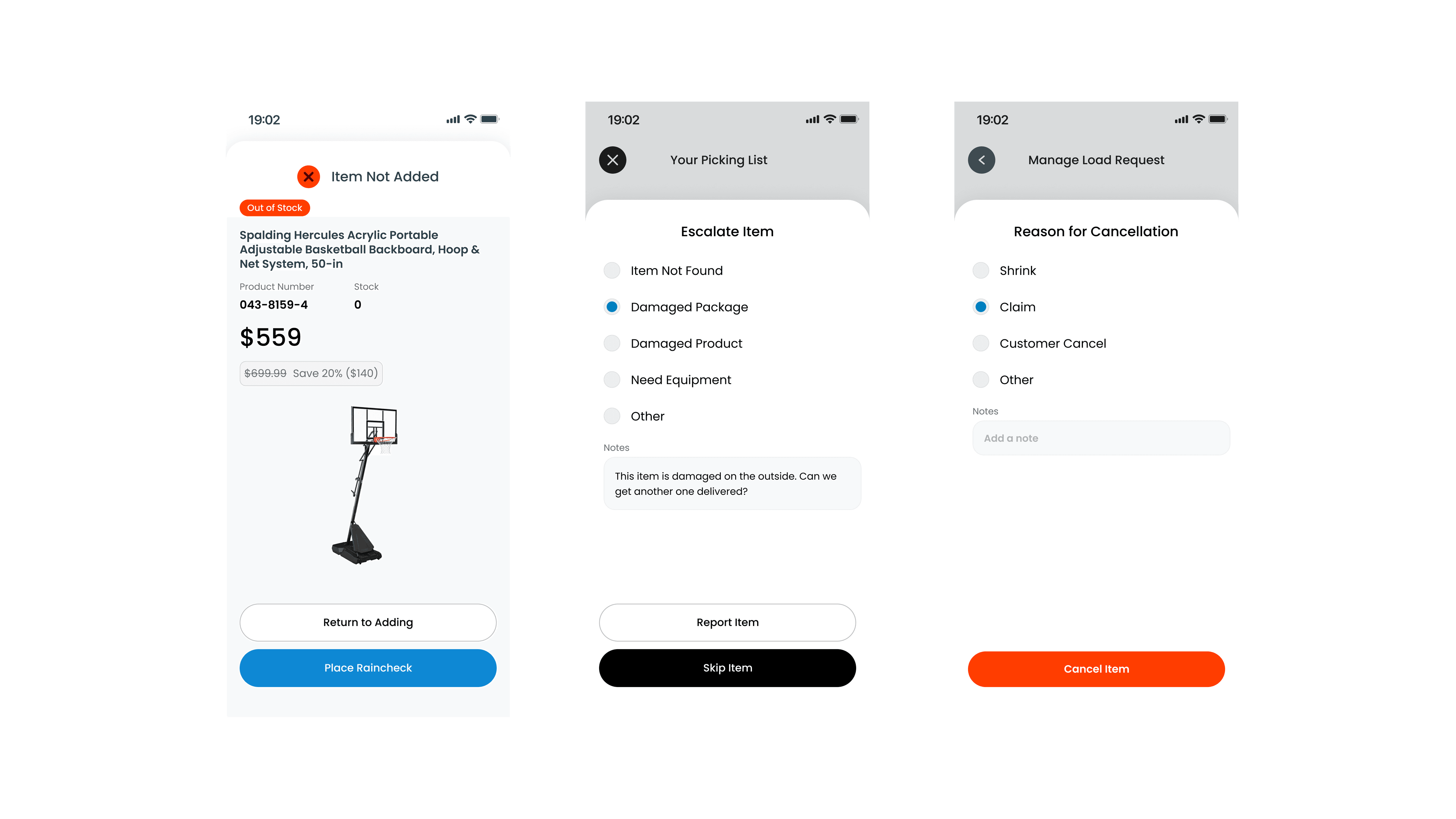
Manager intervention meant stalling the whole chain. For certain problems, like a missing, incorrectly packaged, or damaged item, the request stopped and needed to be escalated. But if an item was simply out of stock and still available to order, a Sales Floor employee could issue a raincheck on their own, and no escalation was required. We needed to make those actions available for employees.
Solution
The response matched the size of the problem.
I designed the escalation paths to match the severity of the problem, so employees always had the right tool for what they were facing, instead of every issue defaulting to the same manager-dependent process. Status and comments were also shown down the line to keep all employees updated on the order.
Design Challenge #3
Customers had to wait nearby while their order was being fulfilled
The previous workflow required customers to wait nearby, anywhere from two to ten minutes, while an employee kept them updated in person. Most customers would rather have kept shopping.
Concept Exploration
Comparing approaches against technical constraints.
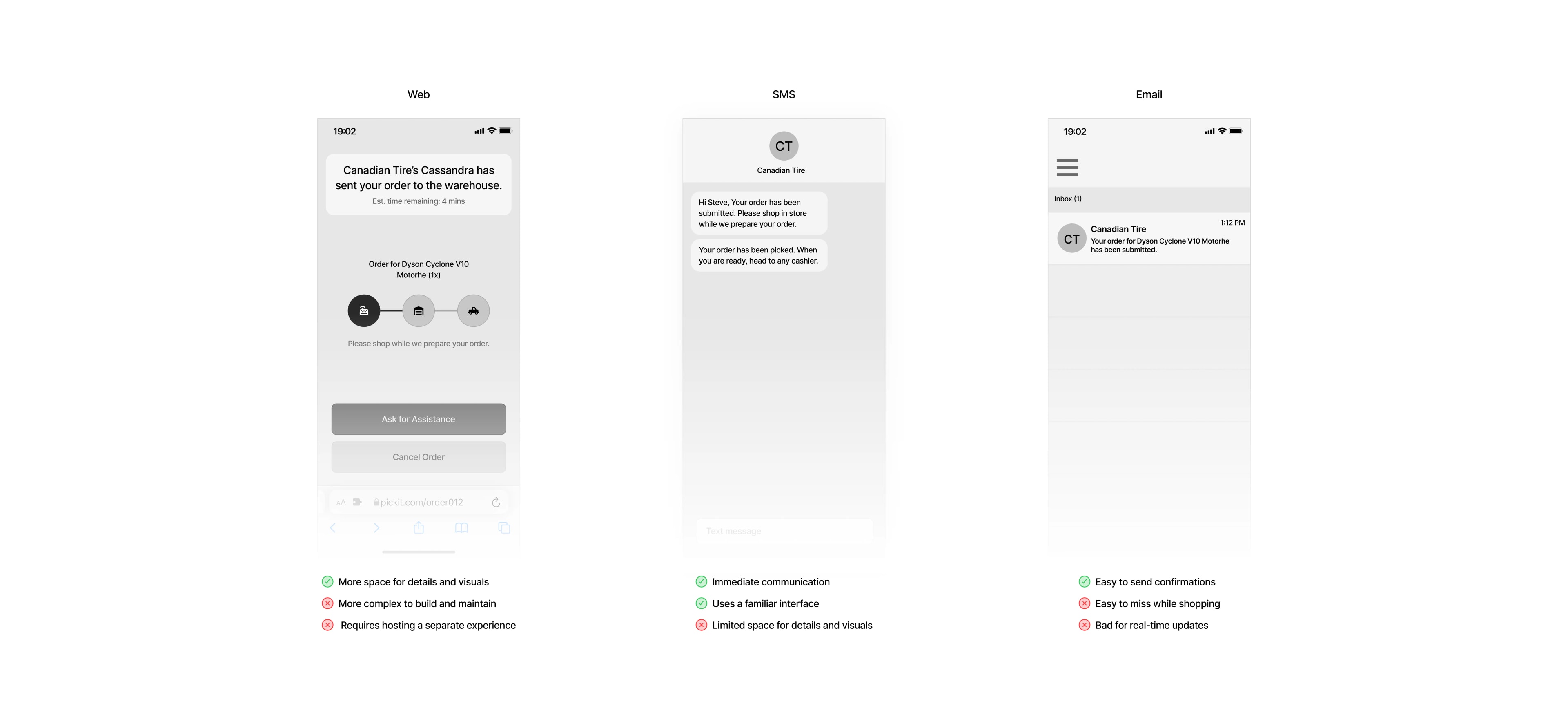
I explored three approaches in mid-fidelity and worked closely with the developer to understand the technical constraints of each. As a small team, we had to balance the customer experience with what we could realistically build and maintain.
Product Tradeoffs
Choosing between more information vs simpler implementation
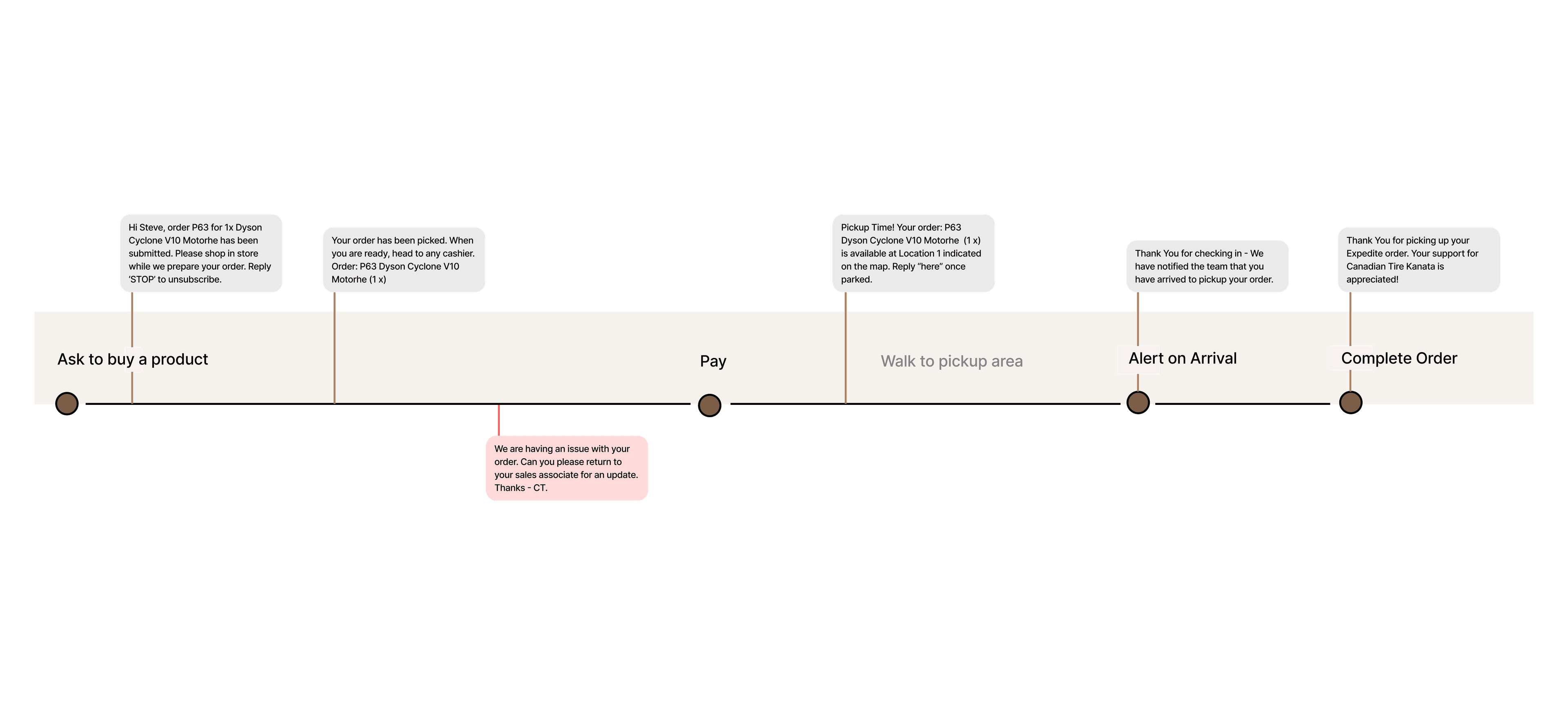
We chose SMS because it preserved the most important interactions without requiring a separate customer-facing experience. Customers could receive status updates, know when to take action, and get pickup instructions.
Solution
Customers could continue shopping while their order was being fulfilled.
We made the customer shopping experience more smooth and enjoyable by allowing them to continue shopping while we readied their order. We used SMS for communication between the employee and customer, making the process clear to the customer as well.
Impact
Expedite shipped in December 2022 and launched in a single Canadian Tire store, where it's still in use today. Rather than expanding to more locations the way Beacons (Meerby) did, Expedite's rollout stayed to that one store as retailers began building out their own corporate solutions, shifting the business opportunities elsewhere.
Reflections
Expedite showed me that solving a real user and operational problem is only one part of building a successful product. A solution can work well for the people using it, but other constraints can determine how far it scales.
This was the first product I designed across this many interconnected roles, handoffs, states, and dependencies. I learned to think beyond individual screens and consider how one decision could affect employees and customers further down the workflow.